
QuantDinger Logo

QuantDinger

🤖 AI-Native · 🔒 Privacy-First · 🚀 All-in-One Quant Workspace

The Next-Gen Local Quant Platform: Multi-Market Data, AI Research, Visual Backtesting, and Automated Trading.

Website · Live Demo · Report Bug · Discussions

License Python Vue Docker Stars

Telegram Discord X

--- ## 📖 Introduction **QuantDinger** is a **Local-First** quantitative trading workspace designed for traders, researchers, and geeks. Unlike expensive SaaS platforms, QuantDinger returns **data ownership** to you. It features a built-in **LLM-based Multi-Agent Research Team** that autonomously gathers financial intelligence from the web, combines it with local market data, generates professional analysis reports, and seamlessly integrates with your strategy development, backtesting, and live trading workflows. ### Core Value - **🛡️ Privacy First**: All strategies, trading logs, and API keys are stored locally in your SQLite database. - **🧠 AI Empowered**: Not just code completion, but a real AI Research Analyst (powered by OpenRouter/LLM). - **⚡ Multi-Market**: Native support for **Crypto**, **US Stocks**, **CN/HK Stocks**, **Forex**, and **Futures**. - **🔌 Out-of-the-Box**: One-click deployment via Docker. No complex environment setup required. --- ## 📸 Visual Tour

📊 Professional Quant Dashboard

Real-time monitoring of market dynamics, assets, and strategy status.
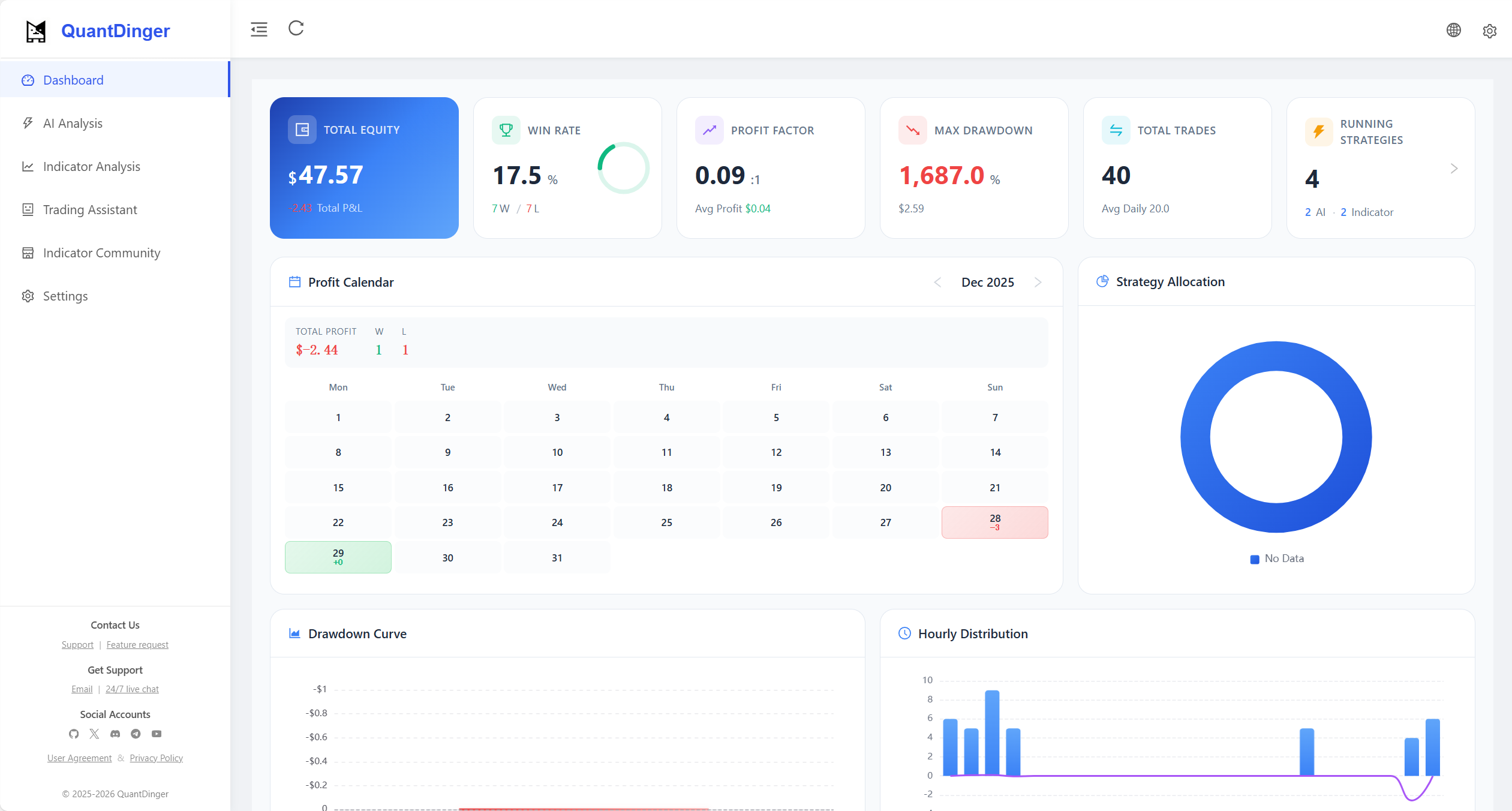
QuantDinger Dashboard

🤖 AI Deep Research

Multi-agent collaboration for market sentiment & technical analysis.
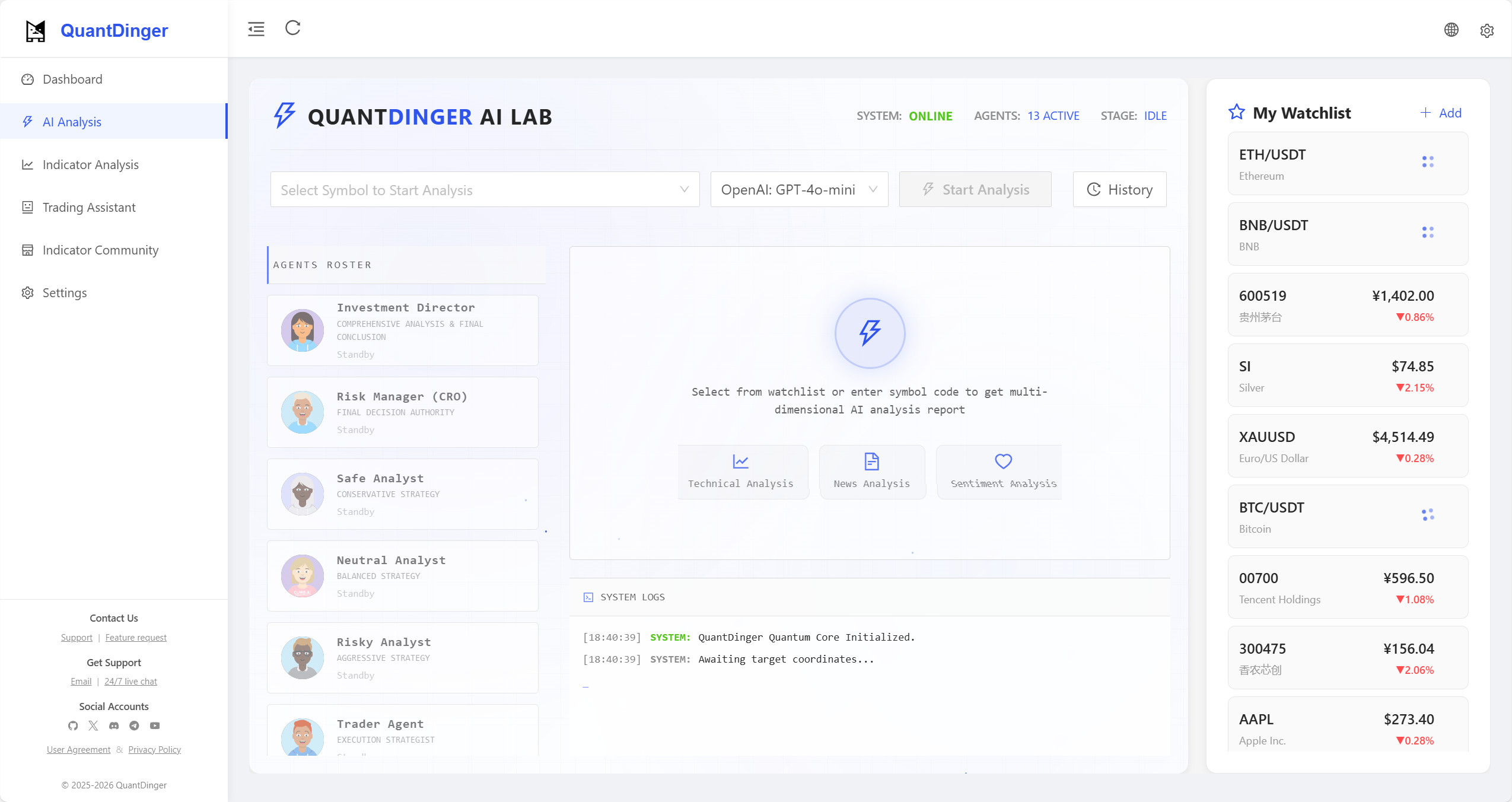
AI Market Analysis

💬 Smart Trading Assistant

Natural language interface for instant market insights.
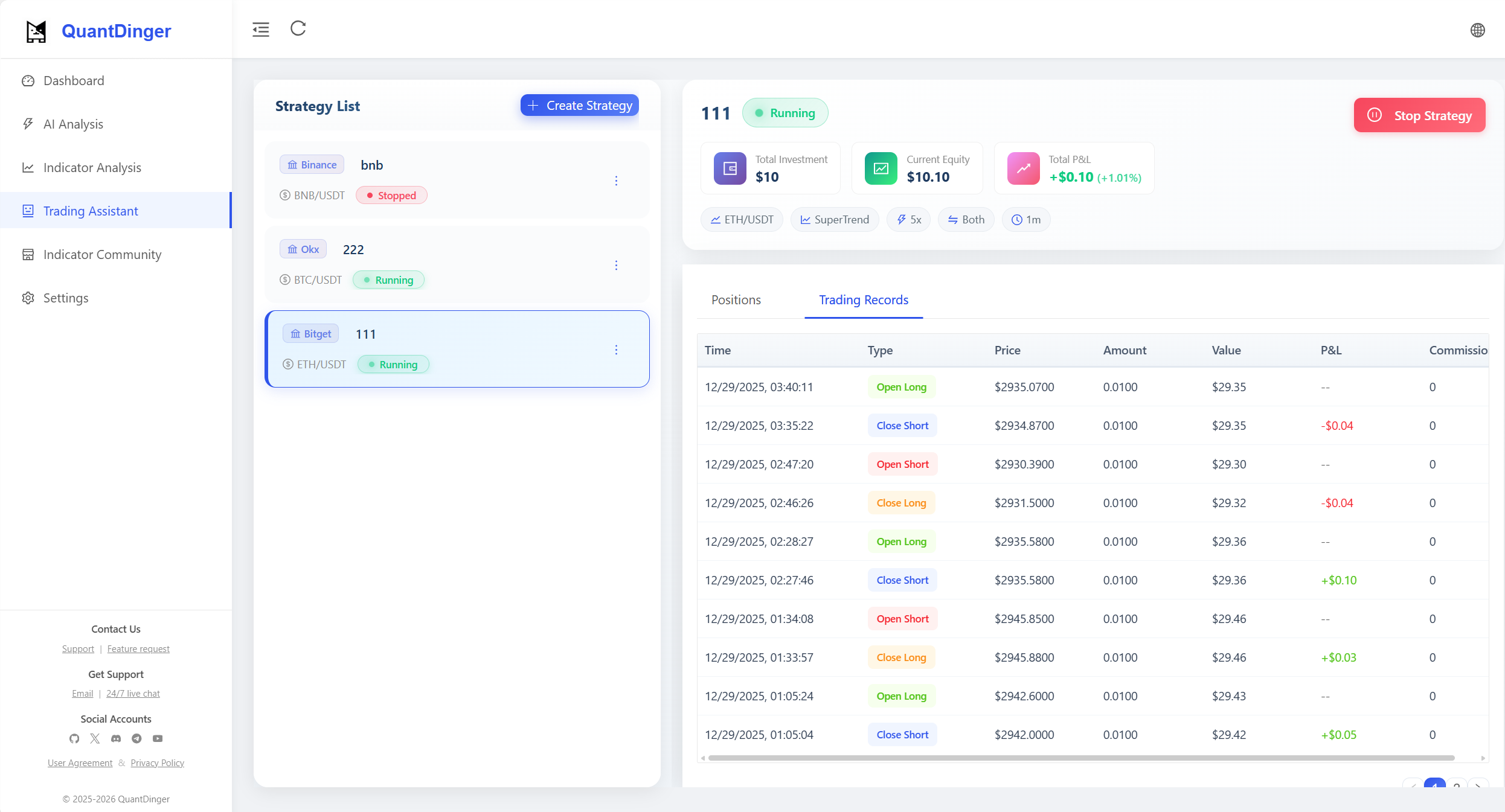
Trading Assistant

📈 Interactive Indicator Analysis

Rich library of technical indicators with drag-and-drop analysis.
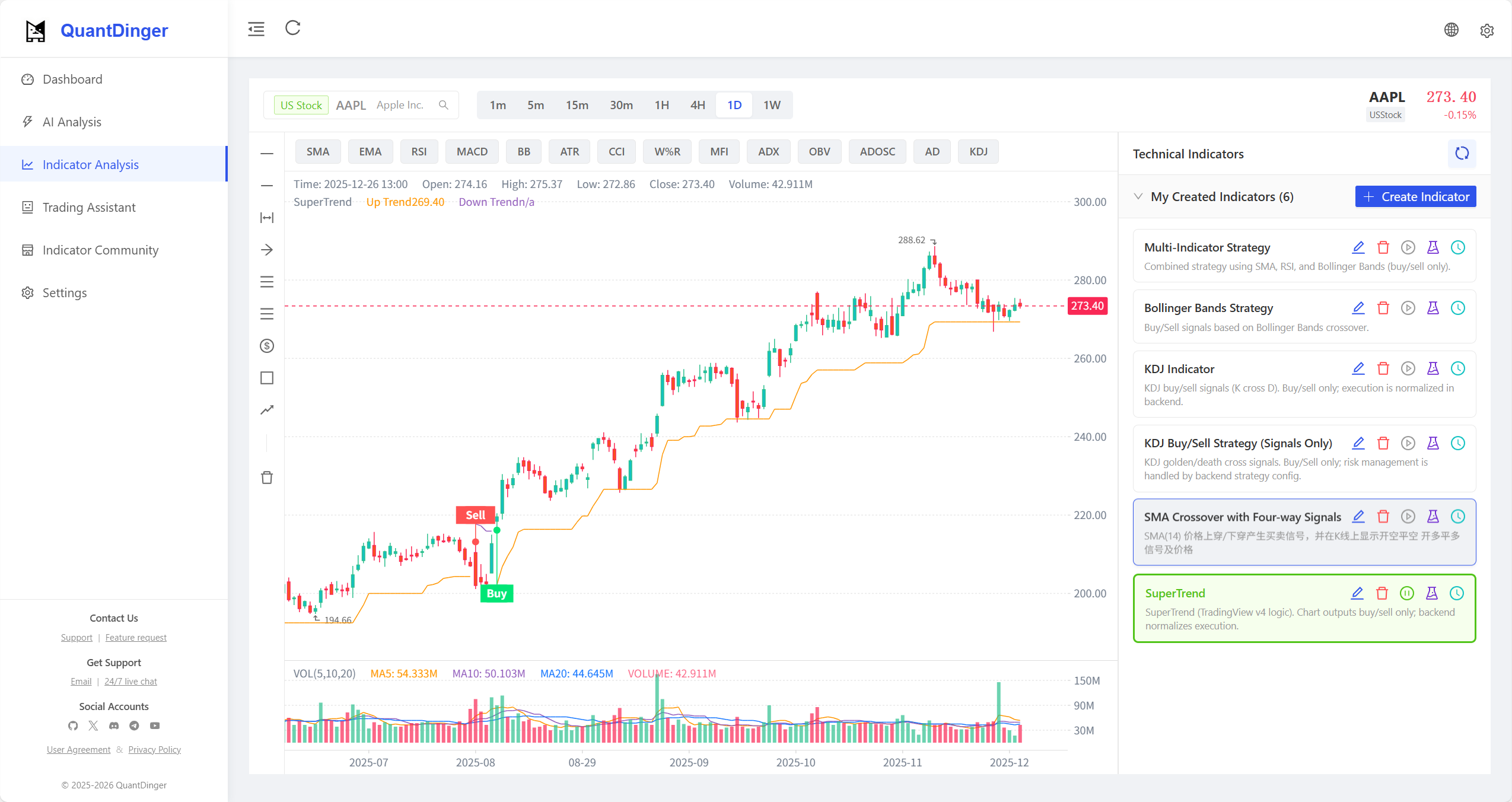
Indicator Analysis

🐍 Python Strategy Gen

Built-in editor with AI-assisted strategy coding.
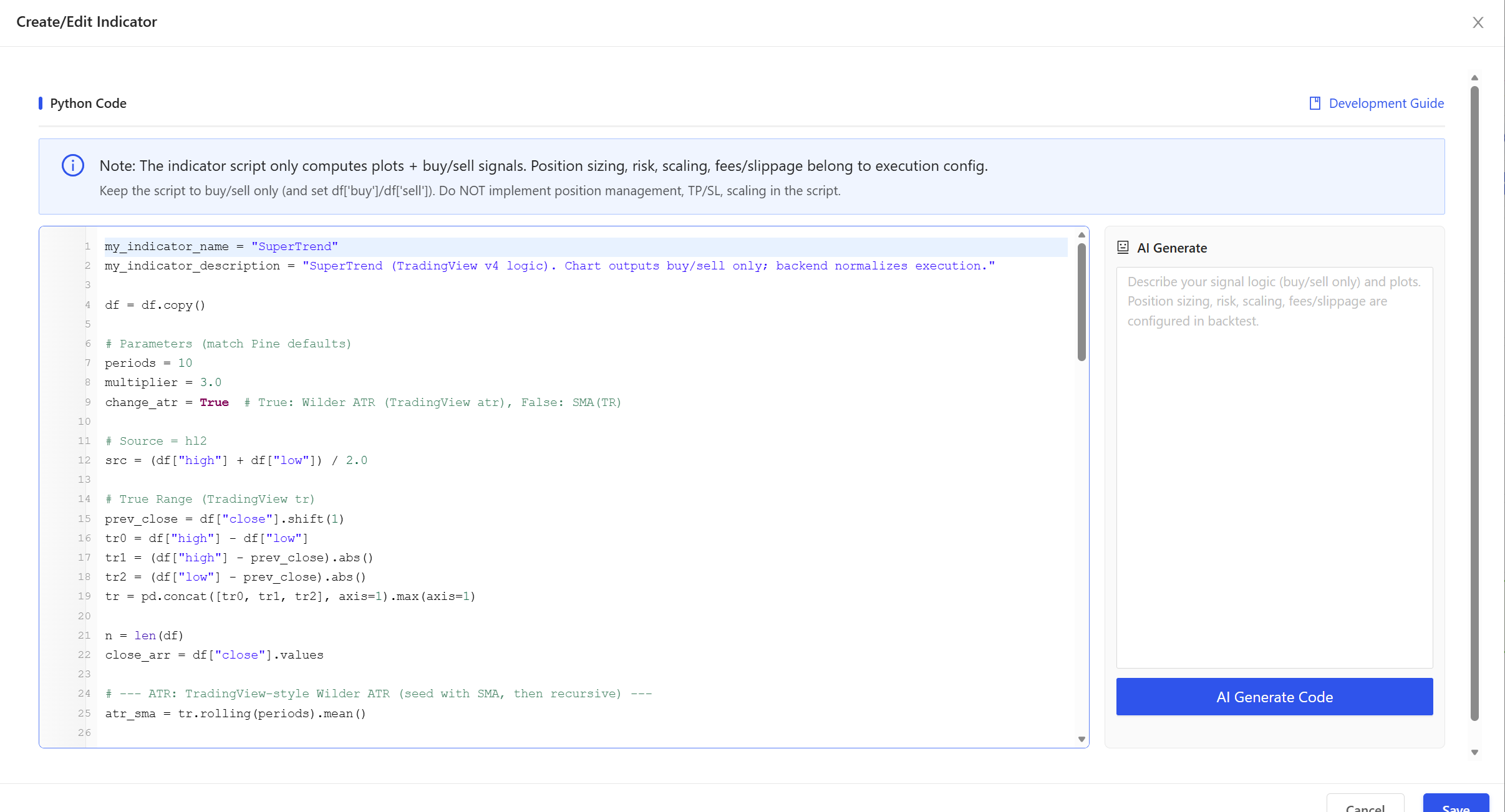
Code Generation
--- ## ✨ Key Features ### 1. Universal Data Engine Stop worrying about data APIs. QuantDinger features a powerful Data Source Factory pattern: - **Crypto**: **Direct API connection** for trading (10+ exchanges) combined with **CCXT** for market data (100+ sources). - **Stocks**: Integrates Yahoo Finance, Finnhub, Tiingo (US), and AkShare (CN/HK). - **Futures/Forex**: Supports OANDA and major futures data sources. - **Proxy Support**: Built-in proxy configuration for restricted network environments. ### 2. AI Multi-Agent Research Your tireless team of analysts: - **Coordinator Agent**: Decomposes tasks and manages workflows. - **Research Agent**: Performs full-web searches (Google/Bing) for macro news. - **Crypto/Stock Agent**: Specializes in technical and capital flow analysis for specific markets. - **Report Generation**: Automatically produces structured Daily/Weekly research reports. ### 3. Robust Strategy Runtime - **Thread-Based Executor**: Independent thread pool management for strategy execution. - **Auto-Restore**: Automatically resumes running strategies after system restarts. - **Pending Order Worker**: Reliable background queue ensures precise signal execution and prevents slippage. ### 4. Modern Tech Stack - **Backend**: Python (Flask) + SQLite + Redis (Optional) — Simple, powerful, extensible. - **Frontend**: Vue 2 + Ant Design Vue + KlineCharts/ECharts — Responsive and interactive. - **Deployment**: Docker Compose orchestration. --- ## 🏦 Supported Exchanges & Rebates QuantDinger supports **direct connection** to major cryptocurrency exchanges for low-latency execution, while using **CCXT** for broad market data coverage. > 💡 **Exclusive Benefits**: Create accounts through our partner links below to enjoy **reduced trading fees** and **exclusive bonuses**. It helps support the project at no extra cost to you! | Exchange | Features | Sign Up Bonus | |:--------:|:---------|:-------------:| | | 🥇 **World's Largest**
Spot, Futures, Margin | | | | 🚀 **Web3 & Derivatives**
Spot, Perpetual, Options | | | | 👥 **Social Trading**
Copy Trading, Futures | |
**Also Supported (Direct/CCXT):** | | | | | | |:---:|:---:|:---:|:---:|:---:| --- ### Multi-Language Support QuantDinger is built for a global audience with comprehensive internationalization:

English Simplified Chinese Traditional Chinese Japanese Korean German French Thai Vietnamese Arabic

All UI elements, error messages, and documentation are fully translated. Language is auto-detected based on browser settings or can be manually switched in the app. --- ### Supported Markets | Market Type | Data Sources | Trading | |-------------|--------------|---------| | **Cryptocurrency** | Binance, OKX, Bitget, + 100 exchanges | ✅ Full support | | **US Stocks** | Yahoo Finance, Finnhub, Tiingo | ✅ Via broker API | | **CN/HK Stocks** | AkShare, East Money | ⚡ Data only | | **Forex** | Finnhub, OANDA | ✅ Via broker API | | **Futures** | Exchange APIs, AkShare | ⚡ Data only | --- ### Architecture (Current Repo) ```text ┌─────────────────────────────┐ │ quantdinger_vue │ │ (Vue 2 + Ant Design Vue) │ └──────────────┬──────────────┘ │ HTTP (/api/*) ▼ ┌─────────────────────────────┐ │ backend_api_python │ │ (Flask + strategy runtime) │ └──────────────┬──────────────┘ │ ├─ SQLite (quantdinger.db) ├─ Redis (optional cache) └─ Data providers / LLMs / Exchanges ``` --- ### Repository Layout ```text . ├─ backend_api_python/ # Flask API + AI + backtest + strategy runtime │ ├─ app/ │ ├─ env.example # Copy to .env for local config │ ├─ requirements.txt │ └─ run.py # Entrypoint └─ quantdinger_vue/ # Vue 2 UI (dev server proxies /api -> backend) ``` --- ## Quick Start ### Option 1: Docker Deployment (Recommended) The fastest way to get QuantDinger running. #### 1. Prepare Configuration Linux/macOS: ```bash cp docker.env.example backend_api_python/.env nano backend_api_python/.env ``` Windows PowerShell: ```powershell Copy-Item docker.env.example backend_api_python/.env notepad backend_api_python/.env ``` **Required settings:** - `SECRET_KEY` - Application secret, use a random string - `ADMIN_USER` / `ADMIN_PASSWORD` - Login credentials - `OPENROUTER_API_KEY` - OpenRouter API key (required for AI analysis) #### 2. Build and Start ```bash # Build images and start (first run) docker-compose up -d --build # Subsequent starts (no rebuild needed) docker-compose up -d ``` #### 3. Access the Application - **Frontend UI**: http://localhost - **Backend API**: http://localhost:5000 #### Docker Commands Reference ```bash # View running status docker-compose ps # View logs docker-compose logs -f # View backend logs only docker-compose logs -f backend # View frontend logs only docker-compose logs -f frontend # Stop services docker-compose down # Stop and remove volumes (WARNING: deletes database!) docker-compose down -v # Restart services docker-compose restart # Rebuild and restart docker-compose up -d --build # Enter backend container docker exec -it quantdinger-backend /bin/bash # Enter frontend container docker exec -it quantdinger-frontend /bin/sh ``` #### Docker Architecture ``` ┌─────────────────┐ ┌─────────────────┐ │ Frontend │ │ Backend │ │ (Nginx) │────▶│ (Python) │ │ Port: 80 │ │ Port: 5000 │ └─────────────────┘ └─────────────────┘ │ │ └───────────────────────┘ Docker Network ``` - **Frontend**: Vue.js app served by Nginx, proxies API requests to backend - **Backend**: Python Flask API service #### Data Persistence The following data is mounted to the host and persists across container restarts: ```yaml volumes: - ./backend_api_python/quantdinger.db:/app/quantdinger.db # Database - ./backend_api_python/logs:/app/logs # Logs - ./backend_api_python/data:/app/data # Data directory - ./backend_api_python/.env:/app/.env # Configuration ``` #### Customization **Change ports** - Edit `docker-compose.yml`: ```yaml services: frontend: ports: - "8080:80" # Change to port 8080 backend: ports: - "5001:5000" # Change to port 5001 ``` **Configure HTTPS** - Use a reverse proxy (like Caddy/Nginx): ```bash # Using Caddy (automatic HTTPS) caddy reverse-proxy --from yourdomain.com --to localhost:80 ``` #### Production Recommendations **Security:** ```bash # Generate strong SECRET_KEY openssl rand -hex 32 # Set secure admin password ADMIN_PASSWORD=your-very-secure-password ``` **Resource limits** - Add to `docker-compose.yml`: ```yaml services: backend: deploy: resources: limits: cpus: '2' memory: 2G reservations: cpus: '0.5' memory: 512M ``` **Log management:** ```yaml services: backend: logging: driver: "json-file" options: max-size: "100m" max-file: "3" ``` #### Docker Troubleshooting **Frontend can't connect to backend:** ```bash docker-compose logs backend curl http://localhost:5000/api/health ``` **Database permission issues:** ```bash chmod 666 backend_api_python/quantdinger.db ``` **Build failures:** ```bash # Clear Docker cache and rebuild docker-compose build --no-cache ``` **Out of memory:** ```bash # Check memory usage docker stats # Add swap space (Linux) sudo fallocate -l 2G /swapfile sudo chmod 600 /swapfile sudo mkswap /swapfile sudo swapon /swapfile ``` #### Updating ```bash # Pull latest code git pull # Rebuild and restart docker-compose up -d --build ``` #### Backup ```bash # Backup database cp backend_api_python/quantdinger.db backup/quantdinger_$(date +%Y%m%d).db # Backup configuration cp backend_api_python/.env backup/.env_$(date +%Y%m%d) ``` --- ### Option 2: Local Development **Prerequisites** - Python 3.10+ recommended - Node.js 16+ recommended #### 1. Start the backend (Flask API) ```bash cd backend_api_python pip install -r requirements.txt cp env.example .env # Windows: copy env.example .env python run.py ``` Backend will be available at `http://localhost:5000`. #### 2. Start the frontend (Vue UI) ```bash cd quantdinger_vue npm install npm run serve ``` Frontend dev server runs at `http://localhost:8000` and proxies `/api/*` to `http://localhost:5000` (see `quantdinger_vue/vue.config.js`). --- ### Configuration (.env) Use `backend_api_python/env.example` as a template. Common settings include: - **Auth**: `SECRET_KEY`, `ADMIN_USER`, `ADMIN_PASSWORD` - **Server**: `PYTHON_API_HOST`, `PYTHON_API_PORT`, `PYTHON_API_DEBUG` - **Database**: `SQLITE_DATABASE_FILE` (optional; default is `backend_api_python/quantdinger.db`) - **AI / LLM**: `OPENROUTER_API_KEY`, `OPENROUTER_MODEL`, timeouts - **Web search**: `SEARCH_PROVIDER`, `SEARCH_GOOGLE_*`, `SEARCH_BING_API_KEY` - **Proxy (optional)**: `PROXY_PORT` or `PROXY_URL` - **Workers**: `ENABLE_PENDING_ORDER_WORKER`, `DISABLE_RESTORE_RUNNING_STRATEGIES` --- ### API The backend provides REST endpoints for login, market data, indicators, backtesting, strategies, and AI analysis. - Health: `GET /health` (also supports `GET /api/health` for deployment probes) - Auth (frontend-compatible): `POST /api/user/login`, `POST /api/user/logout`, `GET /api/user/info` For the full route list, see `backend_api_python/app/routes/`. --- ### License Licensed under the **Apache License 2.0**. See `LICENSE`. --- ## 🤝 Community & Support Join our global community for strategy sharing and technical support: - **Telegram (Official)**: [t.me/worldinbroker](https://t.me/worldinbroker) - **Discord**: [Join Server](https://discord.gg/cn6HVE2KC) - **YouTube**: [@quantdinger](https://youtube.com/@quantdinger) - **Email**: [brokermr810@gmail.com](mailto:brokermr810@gmail.com) - **GitHub Issues**: [Report bugs / Request features](https://github.com/brokermr810/QuantDinger/issues) --- ## ☕ Support the Project If QuantDinger helps you profit, consider buying the developers a coffee. Your support keeps the project alive! **ERC-20 / BEP-20 / Polygon / Arbitrum** ``` 0x96fa4962181bea077f8c7240efe46afbe73641a7 ``` USDT ETH --- ### Commercial Services We offer professional services to help you get the most out of QuantDinger: | Service | Description | |---------|-------------| | **Deployment & Setup** | One-on-one assistance with server deployment, configuration, and optimization | | **Custom Strategy Development** | Tailored trading strategies designed for your specific needs and markets | | **Enterprise Upgrade** | Commercial license, priority support, and advanced features for businesses | | **Training & Consulting** | Hands-on training sessions and strategic consulting for your trading team | **Interested?** Contact us via: - 📧 Email: [brokermr810@gmail.com](mailto:brokermr810@gmail.com) - 💬 Telegram: [@worldinbroker](https://t.me/worldinbroker) --- ### Acknowledgements QuantDinger stands on the shoulders of great open-source projects: | Project | Description | Link | |---------|-------------|------| | **Flask** | Lightweight WSGI web framework | [flask.palletsprojects.com](https://flask.palletsprojects.com/) | | **flask-cors** | Cross-Origin Resource Sharing extension | [GitHub](https://github.com/corydolphin/flask-cors) | | **Pandas** | Data analysis and manipulation library | [pandas.pydata.org](https://pandas.pydata.org/) | | **CCXT** | Cryptocurrency exchange trading library | [github.com/ccxt/ccxt](https://github.com/ccxt/ccxt) | | **yfinance** | Yahoo Finance market data downloader | [github.com/ranaroussi/yfinance](https://github.com/ranaroussi/yfinance) | | **akshare** | China financial data interface | [github.com/akfamily/akshare](https://github.com/akfamily/akshare) | | **requests** | HTTP library for Python | [requests.readthedocs.io](https://requests.readthedocs.io/) | | **Vue.js** | Progressive JavaScript framework | [vuejs.org](https://vuejs.org/) | | **Ant Design Vue** | Enterprise-class UI components | [antdv.com](https://antdv.com/) | | **KlineCharts** | Lightweight financial charting library | [github.com/klinecharts/KLineChart](https://github.com/klinecharts/KLineChart) | | **Lightweight Charts** | TradingView charting library | [github.com/nicepkg/lightweight-charts](https://github.com/nicepkg/lightweight-charts) | | **ECharts** | Apache data visualization library | [echarts.apache.org](https://echarts.apache.org/) | Thanks to all maintainers and contributors across these ecosystems! ❤️